30 Splatter Brushes: A Creative Essential for Designers
What Are 30 Splatter Brushes?
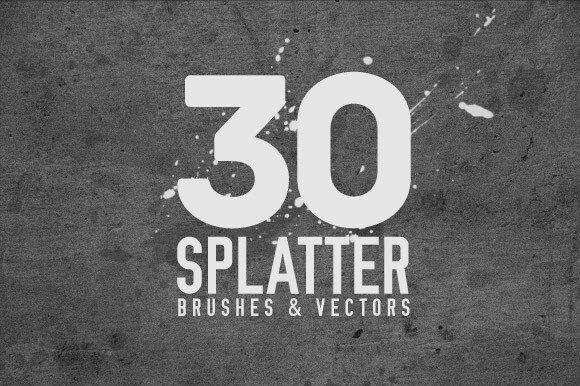
The 30 Splatter Brushes by ORCA Creative offer a versatile set of design tools tailored for both Photoshop and vector-based workflows. Designed for creative professionals and hobbyists alike, this collection delivers a range of splatter effects that can enhance digital illustrations, graphic designs, and visual projects. Whether you're working in .ABR for Photoshop or using .AI and .EPS formats for vector editing, these brushes provide a tactile, expressive quality that mimics real-world paint splatters.
Unlike generic brush packs, the 30 Splatter Brushes are crafted with attention to detail, ensuring each brush maintains clarity and texture across different design contexts. They are ideal for adding dynamic, organic elements to your work—without the mess of physical paint.
Key Features and File Formats
This collection includes:
- 30 unique splatter brushes designed for a variety of artistic applications
- Compatibility with Adobe Photoshop (.ABR) for raster-based editing
- Vector formats available in Adobe Illustrator (.AI) and Encapsulated PostScript (.EPS)
The inclusion of both raster and vector formats makes this set highly adaptable. Photoshop users benefit from the intuitive brush engine, while vector artists can scale splatters infinitely without loss of quality. This dual-format approach ensures the 30 Splatter Brushes can be integrated into nearly any digital design workflow.
Practical Applications and Creative Uses
These brushes are especially effective in:
- Enhancing illustrations with textured, hand-painted effects
- Adding depth and realism to digital paintings
- Creating grungy or edgy designs for branding, posters, and apparel
- Designing background textures and overlays for web and print
For example, a freelance designer working on a music festival poster might use these brushes to simulate energetic paint splashes behind typography. Similarly, a digital artist could layer multiple splatter effects to build complex textures in a character illustration. The brushes are also useful in UI/UX design for adding organic accents to buttons, banners, or icons.
Quality and Usability
In testing, the brushes performed consistently across different file sizes and zoom levels. Vector versions maintained sharp edges and clarity, while Photoshop brushes responded well to pressure sensitivity and opacity variations. Each brush has been thoughtfully designed to avoid repetitive patterns, which is a common issue in lower-quality brush sets.
One of the standout features is the natural randomness of the splatter effects. Unlike some digital brushes that look too uniform or artificial, the 30 Splatter Brushes deliver a handcrafted aesthetic that feels authentic. This makes them particularly valuable for designers who want to add a sense of realism or imperfection to their work.
Flexibility and Consistency
Because they come in both raster and vector formats, these brushes offer a high degree of flexibility. Vector versions can be scaled infinitely without degradation, making them ideal for logo design, large-format prints, or animations. Photoshop brushes, on the other hand, integrate seamlessly into layered composites and digital paintings.
Each brush has been tested for consistency in stroke behavior. They respond predictably to pressure and blending modes, allowing for fine-tuned control. This reliability is crucial for professional workflows where precision and repeatability matter.
Who Should Use 30 Splatter Brushes?
This set is best suited for:
- Graphic designers looking to add texture and realism to their compositions
- Illustrators who want to simulate physical media in digital work
- Branding and marketing professionals crafting bold, expressive visuals
- Freelancers needing high-quality assets that integrate smoothly into client projects
Whether you're designing a gritty album cover or a textured background for a blog banner, the 30 Splatter Brushes can help elevate your work with minimal effort. They are also a good fit for educators and creators producing tutorial content that involves digital painting or texture overlays.
Limitations and Considerations
While the 30 Splatter Brushes offer a wide range of utility, there are a few limitations to be aware of:
- No mockup previews included – Users won't find sample images or project templates in the download package.
- Learning curve for new users – Those unfamiliar with brush dynamics in Photoshop or vector manipulation in Illustrator may need to spend time learning how to get the most from the set.
Additionally, while the brushes are versatile, they are not a one-size-fits-all solution. Designers seeking more specialized textures (e.g., watercolor, ink, or charcoal) may need to supplement this set with other tools.
Final Thoughts and Recommendations
The 30 Splatter Brushes from ORCA Creative represent a well-crafted, practical toolkit for designers who want to inject organic energy into their digital work. Their dual-format delivery, high-quality design, and broad applicability make them a solid investment for creatives across disciplines.
If you're already working with Photoshop or Illustrator and looking for a reliable way to add expressive texture, this set is worth considering. It's particularly valuable for those who frequently work on projects requiring a handcrafted or experimental aesthetic. However, if you're new to digital brushes or need a broader range of effects, it may be beneficial to explore complementary brush sets alongside this one.
Ultimately, the 30 Splatter Brushes stand out not for flashy promises, but for their consistent performance and real-world usability. They are a quietly effective tool that can make a noticeable difference in the visual richness of your designs.