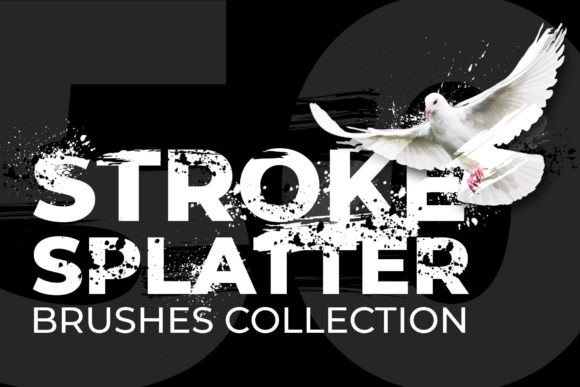
50 Brushes Strokes Splatter
Unlock Creative Possibilities in Photoshop
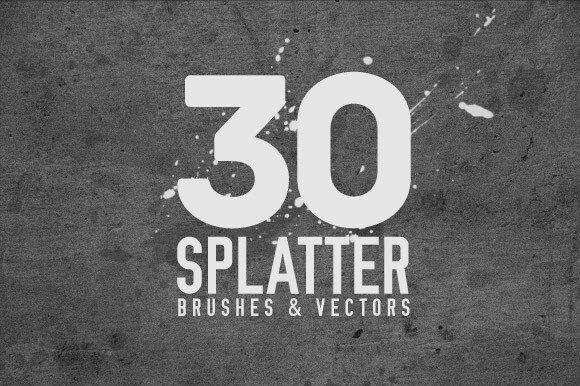
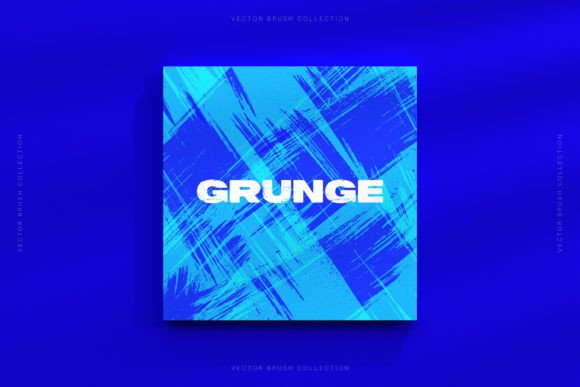
The 50 Brushes Strokes Splatter collection is a versatile set of Photoshop brushes designed to bring texture, depth, and artistic flair to digital projects. Whether you're designing book layouts, crafting illustrations, or developing striking cover art, this set offers a wide array of splatters and brush strokes to enhance your visuals. All brushes are conveniently packaged in the Adobe Photoshop ABR format, making them easy to load and use directly within your workflow.
Why It Matters to Different Users
What makes the 50 Brushes Strokes Splatter valuable isn't just the quantity or variety—it's how it fits into the creative process of different users. Here's how various audiences might approach this tool:
- Beginners may appreciate the simplicity of installation and the visual impact these brushes can offer even with minimal design experience.
- Freelancers and professionals might value the time-saving aspect of having a ready-to-use brush library that enhances client work without the need to source or create custom textures.
- Illustrators and artists may see this set as a way to add organic, hand-crafted elements to digital work that mimics traditional media.
- Educators could use the brushes to demonstrate digital painting techniques or texture application in classroom settings.
- Small business owners may find the brushes useful for creating promotional materials, social media visuals, or branded assets with a unique artistic touch.
Practical Uses Across Skill Levels
Depending on your experience and goals, the 50 Brushes Strokes Splatter can serve different roles in your creative toolkit. Let's explore some real-world applications.
For Beginners: A Gateway to Texture and Style
If you're just starting with Photoshop, adding texture can make your designs feel more dynamic and professional. With this brush set, you can experiment without needing advanced skills. For example, applying a splatter effect behind text can make a poster design pop, even if you're still learning how layers and blending modes work.
For Professionals: Efficiency and Consistency
For experienced designers, efficiency often matters more than novelty. Having a reliable set of brushes that load quickly and behave predictably can streamline your workflow. If you're working on a tight deadline for a book interior or a magazine layout, these brushes offer a way to add visual interest without slowing down your process.
For Educators: Teaching Tools with Real-World Application
In a teaching environment, the 50 Brushes Strokes Splatter can be used to show students how to apply textures digitally. You can demonstrate how to adjust brush settings, layer effects, and blend modes—all while giving students a tangible set of tools they can use beyond the classroom.
What to Consider Before Using
While the 50 Brushes Strokes Splatter offers many benefits, it's important to consider how it aligns with your specific needs:
- Compatibility: These brushes are designed for Adobe Photoshop in ABR format. If you use other software like Procreate or Affinity Designer, you may need to convert or find alternative brushes.
- Learning curve: Though the brushes are easy to install, getting the most out of them may require some experimentation, especially if you're new to brush dynamics or layer blending.
- Quality vs. quantity: This set offers 50 brushes, which is a manageable number for exploration without overwhelming. However, if you're used to massive brush kits, you may want to supplement with additional tools.
- Customization: The brushes can be resized, rotated, and layered to suit your project. This flexibility makes them suitable for both subtle accents and bold design elements.
Real-World Examples for Different Users
Here’s how different users might incorporate the 50 Brushes Strokes Splatter into their work:
- Bloggers: Use a light splatter overlay to add texture to featured images or quote graphics for a handcrafted look.
- Marketers: Enhance digital ads or social media banners with dynamic brush effects that draw attention without cluttering the message.
- Authors and Publishers: Add visual flair to chapter headers or cover designs to stand out in a crowded market.
- Hobbyists: Experiment with digital painting by layering splatter brushes over sketches or scanned artwork.
- Entrepreneurs: Use brush textures to design branded templates for newsletters, pitch decks, or product mockups.
Is 50 Brushes Strokes Splatter Right for You?
The answer depends on your goals and how you work. If you're looking for an accessible, flexible way to add texture and movement to your digital designs, this set is likely a good fit. It's especially useful if you:
- Work in Photoshop regularly
- Want to add organic elements without scanning or creating your own
- Need tools that are easy to integrate and don’t require complex setup
- Enjoy experimenting with visual texture and effects
However, if you already have a large brush collection or prefer highly specialized tools (like hyper-realistic watercolor brushes or detailed grunge textures), this set might not be your top priority. But for many, especially those looking for a curated, manageable set of expressive brushes, it offers a smart addition to their toolkit.
Final Thoughts
The 50 Brushes Strokes Splatter is more than just a brush set—it's a creative companion for anyone looking to bring more life and texture into their digital work. Whether you're a beginner finding your footing or a seasoned pro looking to streamline your process, these brushes offer flexibility, ease of use, and creative potential. By understanding your own needs and how this set can serve them, you can make the most of what it offers and elevate your design work with minimal effort.