Unlock the Cosmos: A Deep Dive into Premium Galaxy Photoshop Brushes
Digital art has long been a realm where imagination meets technical precision, but few subjects challenge an artist's ability to capture depth and wonder quite like space. Creating realistic nebulae, swirling star clusters, and distant galaxies from scratch can be a time-consuming process involving complex layer masks, gradient maps, and painstaking painting techniques. This is where high-quality Galaxy Photoshop Brushes transform the workflow. By integrating these specialized tools, artists can bypass the tedious groundwork and focus immediately on composition, color theory, and storytelling. The result is a seamless bridge between human creativity and the vastness of the universe.
The Power of Precision in Digital Stargazing
When selecting assets for professional design work, resolution is non-negotiable. Many free or low-cost brush packs suffer from pixelation when scaled up, ruining the illusion of infinite space with jagged edges and muddy textures. In contrast, premium collections offer a level of fidelity that stands up to scrutiny. Consider a set crafted with an impressive resolution of 2000 px. At this size, every dust mote, every streak of light, and every subtle shift in hue remains crisp, even when zoomed in for detailed editing.
This high definition is crucial for modern projects. Whether you are designing a poster for a science fiction film, creating a background for a mobile game, or illustrating a book cover, the texture must hold up under various viewing conditions. These brushes are not merely static stamps; they are dynamic elements that react to your pressure sensitivity and flow settings, allowing you to paint clouds of gas that feel organic rather than repetitive. The attention to detail ensures that your digital canvas feels alive, breathing with the same chaotic beauty found in actual astronomical photography.
Twenty Distinct Visions of the Universe
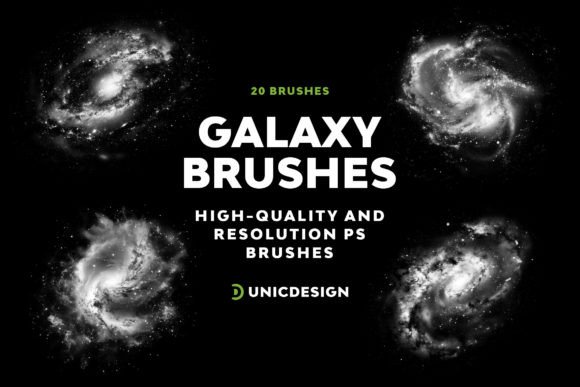
Versatility is the hallmark of any robust toolset. A single brush might create a stunning spiral galaxy, but what happens when you need a diffuse nebula or a dense star field? That is why a comprehensive collection featuring 20 diverse versions of galaxy brushes is so valuable. Each brush within such a set serves a unique purpose, offering limitless possibilities at your fingertips.
- Spiral Galaxies: Perfect for creating the iconic pinwheel shapes with distinct arms and bright cores.
- Nebula Clouds: Ideal for soft, ethereal backgrounds that suggest deep space atmospheres.
- Starry Nights: Designed to scatter realistic stars across dark canvases without manual placement.
- Cosmic Dust: Adds texture and depth, breaking up flat colors to create a sense of volume.
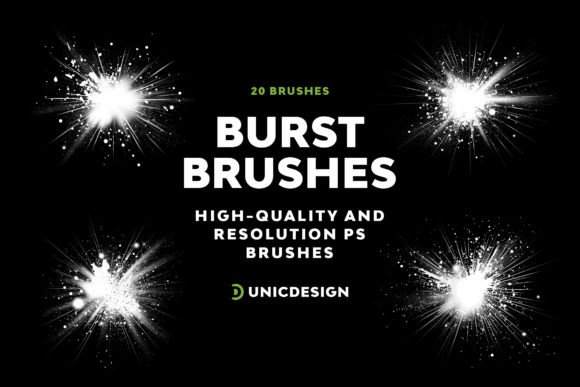
- Supernova Bursts: Captures the explosive energy of stellar events with radial symmetry.
Having this variety allows artists to mix and match styles effortlessly. You might use one brush to lay down the foundational glow of a nebula and another to add sharp, concentrated stars in the foreground. This layering technique creates a three-dimensional effect that draws the viewer into the scene. Instead of struggling to find the right shape or spending hours masking out unwanted areas, you have a dedicated tool for every celestial phenomenon you wish to depict.
Seamless Integration into Modern Workflows
One of the biggest hurdles in adopting new creative tools is compatibility. Artists often work across different machines and software versions, making it essential that assets function reliably regardless of the environment. These premium Galaxy Photoshop Brushes are engineered for broad compatibility, ensuring they work seamlessly with Photoshop versions ranging from CS6 all the way through CC 2015.5 and up to the latest CC 2022.
This backward and forward compatibility is a significant advantage for professionals who may not always upgrade their software immediately due to hardware constraints or project requirements. It guarantees that a file created today will remain editable and render correctly tomorrow, regardless of the version of Adobe Photoshop being used. This stability fosters confidence in the creative process, allowing designers to experiment freely without the fear of technical glitches disrupting their flow.
Furthermore, the user experience is designed to be intuitive. Soaking into the cosmos should be a simple and user-friendly experience, not a technical nightmare. Upon installation, these brushes appear directly in the brush panel, ready to be selected and applied. There is no need for complex configuration or third-party plugins. Just load the file, pick your favorite cosmic texture, and start painting. This efficiency is particularly beneficial in fast-paced industries like advertising or web design, where deadlines are tight and quality cannot be compromised.
From Concept to Spectacular Reality
The true value of these tools lies in how they elevate the final output. Imagine a scenario where a graphic designer needs to create a hero image for a tech company's website about data analytics. They want to convey "infinite possibilities" and "complexity." Using standard gradients might look generic, but applying a high-resolution galaxy brush adds a layer of sophistication and intrigue. The swirling patterns of the nebula can metaphorically represent data streams, while the scattered stars symbolize individual data points.
Similarly, in the gaming industry, environment artists use these brushes to quickly prototype alien worlds. By overlaying different galaxy textures onto terrain maps, they can establish a mood before committing to high-poly modeling. The ability to create spectacular galactic effects with ease means that more time can be spent on lighting, character design, and gameplay mechanics. It democratizes high-end visual effects, putting the power of professional-grade space art in the hands of hobbyists and pros alike.
Support and Resources for Every Creator
Even the most well-designed products benefit from clear documentation. Understanding how to maximize the potential of a brush pack requires knowing its specific characteristics and limitations. This package includes a useful Readme file, serving as a guide for smooth navigation and a deeper understanding of the product. Inside, users will find instructions on installation, tips for adjusting opacity and flow, and suggestions for combining brushes to achieve specific looks.
Beyond the written guide, the commitment to customer satisfaction extends to direct support. Creative journeys are rarely linear, and questions inevitably arise. Whether you are troubleshooting an installation issue or seeking advice on how to blend a specific brush with a photo-realistic background, having access to assistance is invaluable. With support available around the clock, any day of the week, creators are never left stranded. This underscores a dedication to helping users bring their vision to life, ensuring that technical barriers never stand in the way of artistic expression.
If you encounter a query or need specific assistance, reaching out via the contact link provided in the Readme file connects you directly with the team behind the product. This level of engagement builds trust and fosters a community of creators who are supported throughout their journey. It transforms a simple purchase into a partnership, where the goal is mutual success in achieving stunning visual results.
Bringing the Universe to Your Command
In the ever-evolving landscape of digital art, the tools we choose define the boundaries of our creativity. High-quality Galaxy Photoshop Brushes expand those boundaries, offering a gateway to the infinite. They provide the texture, depth, and realism necessary to make digital spaces feel tangible and immersive. From the precise resolution of 2000 px to the versatility of 20 unique designs, every aspect of this collection is curated to enhance the creative process.
Whether you are a seasoned illustrator looking to streamline your workflow or a beginner eager to explore the wonders of the cosmos, these brushes offer a practical solution to complex artistic challenges. They fit naturally into modern workflows, compatible with a wide range of software versions, and supported by a responsive team dedicated to your success. By incorporating these tools into your toolkit, you are not just adding a few images to your library; you are equipping yourself with the ability to craft entire universes.
Embark on a stellar design journey with products from UnicDesign, where the universe is truly at your command. Let the magic of the celestial sphere inspire your next masterpiece, and watch as your digital canvas comes alive with the brilliance of a thousand stars.